5 Best AI Tools for Digital Human Skin Texturing
Create hyper-realistic skin for your digital humans with these 5 AI-powered texturing and rendering tools.
5 Best AI Tools for Digital Human Skin Texturing
Create hyper-realistic skin for your digital humans with these 5 AI-powered texturing and rendering tools.
Let’s be real, the hardest part of making a digital human isn't the skeleton or the movement—it’s the skin. If the skin looks like plastic or a flat texture, the whole illusion falls apart. We’ve all seen those uncanny valley characters that just don't feel right. Luckily, AI has completely changed the game for skin texturing. You no longer need to spend weeks hand-painting pores, blemishes, and subsurface scattering maps. Today, I’m going to walk you through the top 5 AI tools that are making digital human skin look indistinguishable from the real thing.
AI Powered Skin Texture Generation and Material Mapping
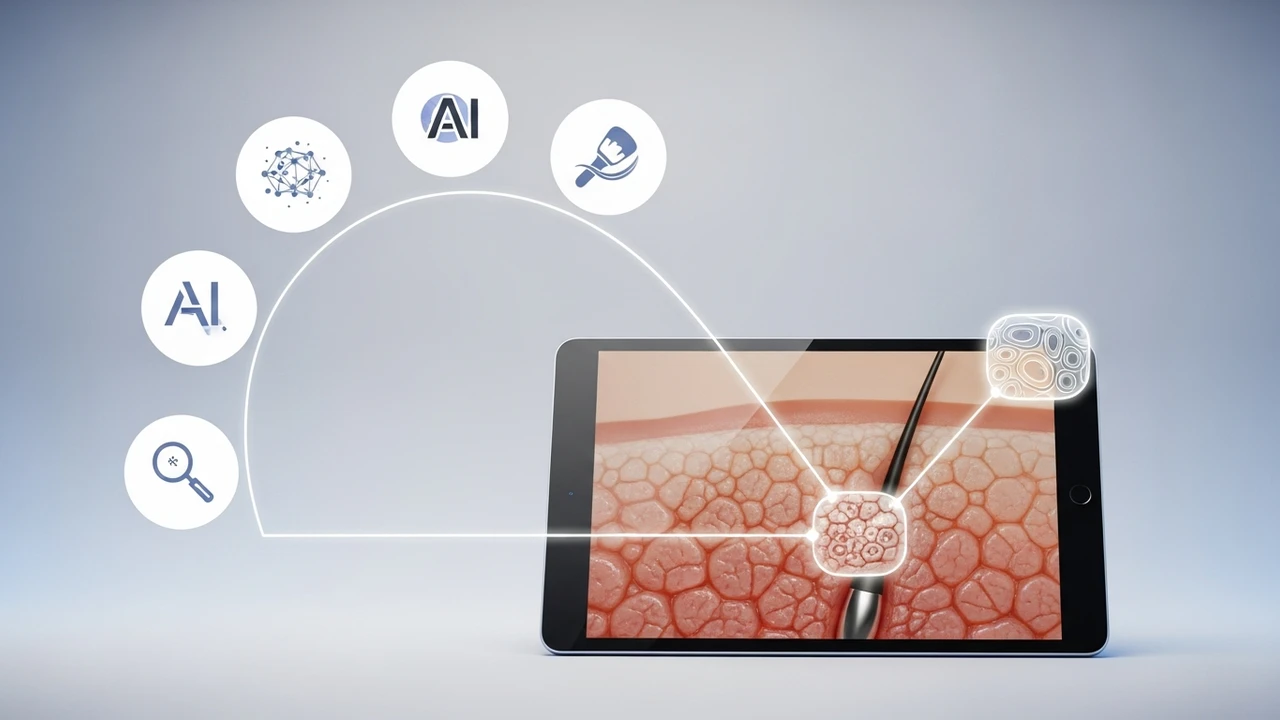
When we talk about skin, we aren't just talking about color. We are talking about micro-details: pores, fine lines, sweat, and the way light penetrates the surface. Traditional workflows involved scanning real skin and spending hours in Photoshop. Now, tools like Adobe Substance 3D Sampler use AI to turn simple photos into high-fidelity PBR (Physically Based Rendering) materials. You just feed it a photo of skin, and the AI generates the normal, roughness, and displacement maps automatically. It’s a massive time saver for anyone working in game dev or film.
Top 5 AI Tools for Realistic Skin Texturing
If you are looking to upgrade your pipeline, here are the heavy hitters. First up is Adobe Substance 3D Sampler. It’s the industry standard for a reason. Its AI-driven 'Image to Material' feature is incredibly accurate at capturing skin depth. Next, we have Quixel Mixer, which is a beast when combined with the Megascans library. It uses smart blending to mix skin textures seamlessly. Then there is Artomatix (Unity ArtEngine), which is basically magic for tiling and removing seams from skin scans. For those who want deep control, DeepBump is a fantastic open-source AI tool that generates normal maps from single images, perfect for quick prototyping. Finally, NVIDIA Canvas is starting to show some wild potential for generating base skin patterns using generative AI.
Comparing Features and Pricing for Digital Human Artists
So, which one should you pick? If you are a professional studio, Substance 3D is a no-brainer, usually costing around $49.99/month for the full suite. It’s expensive but worth every penny for the workflow integration. If you are an indie dev, Quixel Mixer is actually free if you use it with Unreal Engine, which is a huge win. ArtEngine is more of a pro-tier tool, often requiring a custom quote, but it’s the best for cleaning up messy scan data. DeepBump is free, which is great for students, but it lacks the advanced material layering of the paid giants. NVIDIA Canvas is currently free for RTX users, making it the best entry point for experimenting with AI-generated textures.
Real World Use Cases for AI Skin Texturing
Where are these tools actually being used? Think about the latest AAA games. Developers are using these AI tools to create unique NPCs that don't look like clones. In the film industry, digital doubles are being textured in hours rather than days. Even in the virtual influencer space, creators are using these tools to give their avatars that 'glow' and skin texture that makes them look like real people on Instagram. Whether you are building a character for a VR chat room or a high-end cinematic, these tools allow you to iterate on the 'look' of your character without getting bogged down in the technical grunt work of manual painting.
Optimizing Your Workflow with AI Texture Synthesis
The secret to great skin is layering. You don't just use one tool. You might use NVIDIA Canvas to generate a base pattern, then bring it into Substance 3D to add the pores and fine details, and finally use ArtEngine to ensure the texture tiles perfectly across your character's mesh. This hybrid approach is how the pros do it. It’s not about letting the AI do 100% of the work; it’s about using the AI to handle the 80% of the boring, repetitive stuff so you can focus on the 20% that gives your character personality. Start small, experiment with these tools, and you’ll see your digital humans go from 'uncanny' to 'unbelievable' in no time.
:max_bytes(150000):strip_icc()/277019-baked-pork-chops-with-cream-of-mushroom-soup-DDMFS-beauty-4x3-BG-7505-5762b731cf30447d9cbbbbbf387beafa.jpg)